
License Page Changed or Disappeared: Run a Source-Record Correction Pass
Run a source-record correction pass when a creative asset's license page changes or disappears. Identify the exact asset, preserve the current page state, compare it with the saved record, and keep the earlier observation separate from the new one.
The result is an evidence status, not an automatic rights conclusion. A changed label, missing page, screenshot, receipt, archive capture, or source record may indicate an unresolved record problem, but none of these items alone establishes revocation, current permission, ownership, or commercial-use rights.
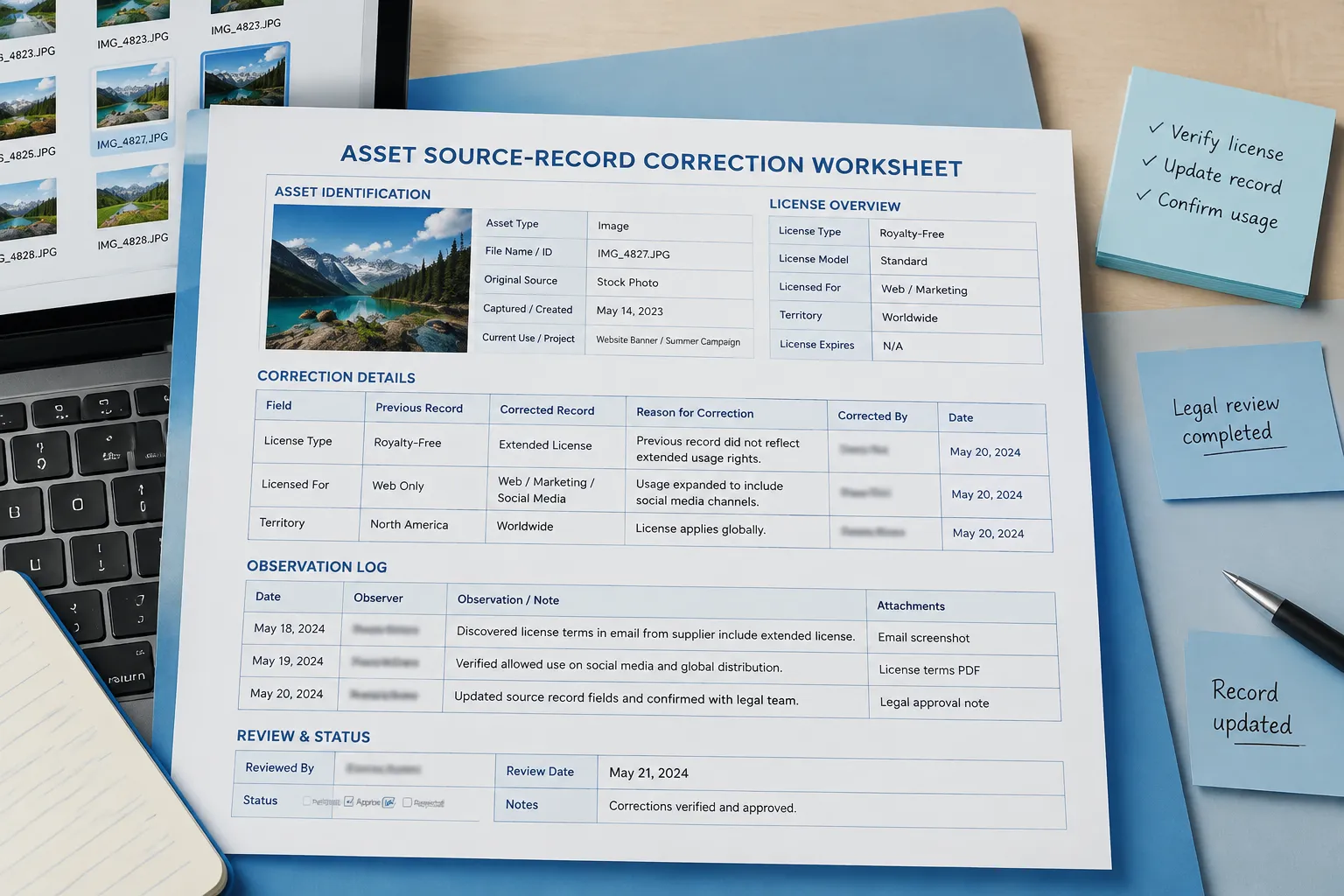
Start With the Asset Identity
Confirm which object the terms describe before comparing license language. A page may cover an entire collection, a platform account, a file type, or one specific asset. The record must show how the terms connect to the illustration, icon, photograph, font, mockup, or other element used in the pack.
Compare the saved record with the current observation using fields such as:
- Asset identifier, file name, or platform reference
- Source title and creator or requested attribution name
- License name and exact version
- Permissions, conditions, and limitations
- Terms text or captured snapshot
- Purchase, download, export, or acquisition context
- Original access date, historical capture date, and current access date
- Current page state and review status
Do not overwrite the earlier entry. Create a new observation linked to the same asset record. This preserves what the page stated before, what it shows now, and which details remain unverified.
Separate the Label From the Terms
A badge, dropdown value, short label, or attribution line may not contain the complete license. Record the specific license identifier and version when they are stated, then inspect the applicable terms for permissions, conditions, and limitations.
Creative Commons materials illustrate why the record needs this distinction. Creative Commons refers to an organization and licensing system, not one universal license. Individual licenses can differ in attribution requirements, modification permissions, commercial-use conditions, share-alike terms, and other limitations.
A useful record separates:
- The organization or platform publishing the terms
- The creator or rights holder named for the asset
- The specific license and version
- The exact terms and attribution details
- The source location and the asset covered
For example, “Creative Commons” is incomplete as a license field. The record needs the specific designation and version shown in the applicable source terms.
Run the Correction Pass
1. Confirm the Matching Asset
Match the source record to the actual file or listing. Check the asset ID, title, creator, thumbnail, file name, and any download or purchase reference.
If several similar items appear on the page, do not assume one license statement covers all of them. Record the exact item used in the sticker, decal, clipart pack, mockup, or listing.
2. Capture the Current Page State
Record what is visible at the time of access:
- Full page title and displayed license label
- Linked terms or agreement version
- Creator or rights-holder information
- Notices about amendments or updated agreements
- Missing content, loading errors, or account restrictions
- Date and time of access
- Asset identifier visible on the page
A failed page load is an observation, not proof that the terms were removed. The page may have moved, require an account, depend on dynamic content, or be hidden by a platform status or filtering change.
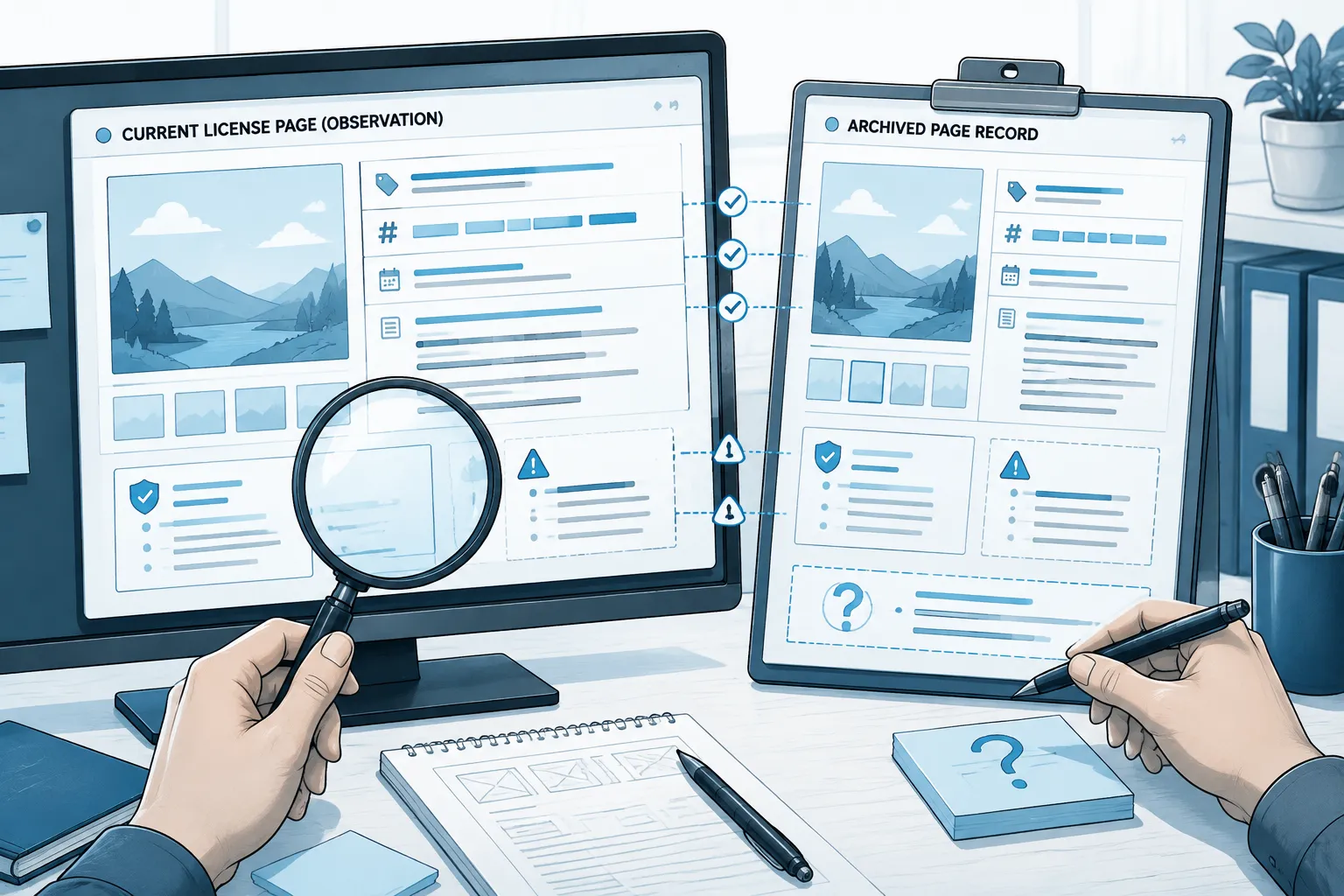
3. Compare Old and New Observations
Place the saved record beside the current observation. Compare exact wording rather than relying on visual similarity.
Inspect changes to:
- License name or version
- Commercial-use language
- Modification permissions
- Attribution instructions
- Redistribution conditions
- Transfer, expiration, or renewal language
- Platform amendment language
- Asset or collection scope
- Location of the applicable terms
Record the difference first. A wording change may affect the source record, but the available material may not explain why it changed or what consequence follows.
4. Preserve Exact Wording
Save the precise license wording when permitted by the source terms and your record-keeping process. If the source identifies a standard license, record its official name and version alongside the relevant text or snapshot.
Do not replace the earlier wording with a summary such as “free for commercial use” or “open license.” Those summaries can omit attribution, modification, redistribution, or limitation terms.
If the complete text cannot be preserved, record the wording that remains visible, the license identifier and version, the page title, the access date, any capture date, the missing section, and the reason the record is incomplete.
Keep Access and Capture Dates Separate
Access date and capture date answer different questions. The access date states when you inspected the live or available source. The capture date states when an archived or saved representation was recorded, when that date is available.
| Field | What it records |
|---|---|
| Access date | When you inspected the live or available source |
| Capture date | When an archived or saved representation was recorded |
| Terms version date | The date stated in the agreement or license, if provided |
| Asset acquisition date | When you downloaded, purchased, exported, or otherwise obtained the asset |
| Review date | When you assessed the record status |
A current page may be accessed today while displaying terms updated earlier. An archived snapshot may show an earlier page state without proving that the page was complete or applied to the asset you used. Do not treat a screenshot file's date as the terms date unless the source context supports that connection.
When the License Page Disappears
First check for a visibility problem. Search the relevant account, asset library, filters, status views, and record fields. A source record may still exist but be hidden by a changed interface, inactive status, failed search, or filtered view.
Next, look for a specific historical capture of the target page. Archive documentation can explain lookup workflows, but a generic archive interface is not evidence that the target page was captured. A useful historical reference should identify the relevant page, date, and captured content.
Inspect the capture for:
- Matching source address and asset or collection identifier
- License wording and creator or rights-holder details
- Missing images, scripts, or dynamic terms
- Capture date
- Whether the page appears complete enough for this record
An archive capture can document what a page displayed at a particular time. It does not by itself establish current permission or resolve every question about applicability.
If no reliable historical capture exists, preserve the failed lookup and mark the record unresolved. Do not fill the gap with a generic license label, search-result description, or unrelated page from the same platform.
Choose a Review Status
Confirmed for Documentation
Use this status only when the asset identity and applicable current or historical terms are sufficiently documented for the specific record. State what was checked and which version or wording supports the status. This describes record completeness; it does not certify ownership, marketplace acceptance, or every possible use.
Needs Review
Use this status when the page changed, wording is incomplete, the asset identity is uncertain, or historical and current records do not align. Include the unresolved question, such as:
- The asset ID matches, but the current page omits the earlier license version.
- The archive contains the page title but not the terms section.
- The source shows a license label without complete conditions.
- The platform page is visible only after account access.
Needs Replacement
Use this status when the source terms cannot be adequately checked for the intended pack, listing, export, or distribution context. Record why replacement is being considered and preserve the original asset history.
Rights-Holder Confirmation Required
Use this status when the applicable terms are ambiguous, conflicting, missing, or dependent on a rights-holder statement absent from the record. Retain the request, response, asset identifier, and date. A general platform statement may not resolve a question about one specific asset.
Common Misunderstanding: Investigation Is Not Clearance
The following items can support investigation without resolving the record:
- An old screenshot
- A generic license badge
- A receipt without asset-level terms
- A live source page without applicable license wording
- An archived page for a different asset
- A search result pointing to a missing page
- A platform-wide agreement that does not identify the asset
- A source link whose content has changed
- A successful export or earlier publication
- A failed publication message without an identified asset
Earlier successful use does not establish that current use remains permitted. A failed publication does not establish that the license changed. Map each message to the exact asset before updating the source record.
Check Attribution Before Release
When attribution is required, preserve the creator's requested name or pseudonym, source title, license name, version, and wording stated in the terms.
Compare the attribution across the source record, exported notices, pack documentation, marketplace fields, and final description or credit panel. The credit line should refer to the same asset and license record. A polished line can still omit the source, version, or required notice.
For redistributed icons, fonts, clipart, or other third-party elements, inspect the governing license and included notices directly. A discussion about a project's notices may suggest a field to preserve, but it does not replace the project's actual license text.
Keep Preview Evidence Separate
A mockup can show where an asset appears in the collection. It cannot prove that the source record is complete or that the current terms cover the final use.
- Preview: A concept, layout, or generated arrangement used for visual review
- Mockup: A presentation of the intended pack, product, or listing context
- Export evidence: The file, transparency, attribution, or notices shown in the export
- Source evidence: The live page, saved terms, receipt, or archive capture
- Review evidence: The comparison and status decision recorded after inspection
Source evidence supports the license field. Visual review may confirm that a motif is present and reads at thumbnail size, while only the applicable terms can establish what the record states about permissions and conditions.
Stopping Condition
Stop when the matching asset and applicable terms are documented for the relevant observation period, or when the missing evidence and next action are clearly recorded.
The next action may be manual review, source replacement, or rights-holder confirmation. Preserve the old observation, the new observation, and the reason for the status.
A usable record can answer five questions without guesswork:
- Which exact asset was used?
- Which terms were visible, and in which version?
- When were those terms accessed or captured?
- What changed or disappeared?
- Is the record documented, unresolved, replaceable, or awaiting confirmation?
That is the practical purpose of license change tracking here: keep source history reviewable, attach exact terms to the correct asset, and stop before an incomplete record is treated as a rights conclusion.