
Run an Unlogged-Component Audit on a Mixed-Source Pack
Audit each unlogged component separately. Record its source trail, stated terms, intended pack use, and review context before marking it documented, unresolved, or requires escalation.
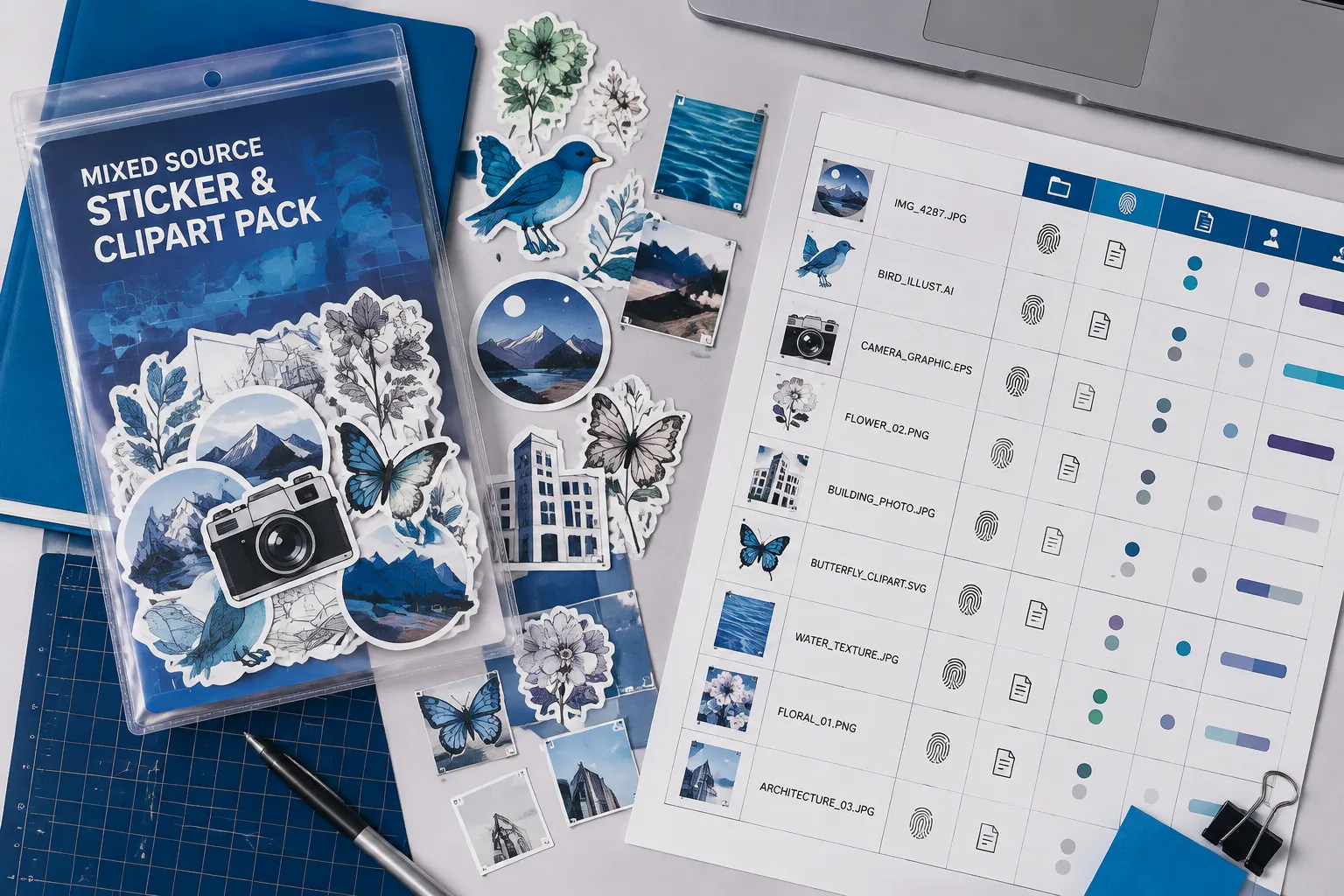
This asset provenance audit records observable evidence; it does not certify ownership, permission, or marketplace acceptance. A platform name, source page, or license label is a clue to inspect, not proof that the uploader had authority or that your planned use is permitted.
Start with a Component-Level Source Record
Give every unlogged component a stable identifier, such as PACK-07 or FLOWER-03. Use that identifier in the working folder, preview sheet, and audit record so each observation remains connected to the exact file.
Record:
- Component identifier and visible description
- Exact source page or access point
- Asset or file identifier, when available
- Download or access context
- Stated license or platform terms
- Attribution requirements and restrictions
- Intended pack use
- Access date and review context
- Missing, conflicting, or unclear evidence
- Audit status
The record should identify the specific component, rather than only a search result, collection page, or platform homepage. Files from one collection may still carry different source records or terms.
Preserve what you observed. Do not turn an uncertain label into a confirmed permission.

Inspect the Exact Source Terms
Open the source associated with the component and capture the wording that applies to that file. Look for the stated license, attribution conditions, restrictions, derivative-work language, redistribution terms, and commercial-use wording.
Creative Commons terminology can help organize these fields. Its license guidance distinguishes permissions and conditions such as attribution, modification, and share-alike requirements. That structure helps you record what the source states, but it does not confirm that a particular file carries the correct label.
Ask these questions for every component:
- Is the license attached to the exact file or only to the surrounding collection?
- Does the source identify the creator or rights holder?
- Are attribution requirements stated clearly?
- Are restrictions stated, or is the information incomplete?
- Does the source distinguish the original asset from a derivative?
- Is the wording current for the access context you recorded?
Copy the relevant terms into the source record or preserve a dated capture according to your workflow. Memory is not a reliable substitute once the pack has been assembled.
Compare the Terms with the Intended Pack Use
The review depends on how the component will appear in the pack. Describe that use concretely before comparing it with the exact source terms.
- A finished sticker sold as part of a themed pack
- A decal design printed on a physical product
- A clipart file distributed to customers
- A preview image used in a listing
- A modified motif combined with original artwork
- A free sample or promotional download
Do not apply the most permissive term found elsewhere in the pack. A component record might state:
The file was found in a public design library. The page displayed a license label and an attribution note. The planned use is a modified motif inside a paid sticker pack. The page did not identify whether the label applied to the exact download.
That record preserves useful evidence, but its status remains unresolved. The visible label and attribution note should stay available for review; they should not be treated as proof that the planned use is permitted.
Use Evidence-Based Statuses
Documented
Use documented when the record identifies the source and exact component, captures the stated terms, describes the intended use, records attribution and restrictions, and includes the access context without a visible contradiction in the material inspected.
This status means another reviewer can follow the record and understand what was observed. It does not determine ownership, legal permission, or marketplace acceptance.
Unresolved
Use unresolved when a relevant field is missing, ambiguous, outdated, or attached to a broader collection instead of the exact component.
- The source page is unavailable.
- The download has no identifiable file record.
- The license label appears only in a search result.
- The collection has terms, but the individual file does not.
- Attribution wording conflicts across pages.
- The uploader’s authority cannot be verified from the available record.
- The intended use is broader than the stated permission.
- A platform label does not identify the applicable product or asset terms.
Keep the missing evidence visible. Do not fill the gap with a likely assumption.
Requires Escalation
Use requires escalation when the unresolved question affects the planned use and cannot be answered from the available source record.
The next step may involve a rights-focused review, a platform-specific interpretation, clarification from the source, or replacing the component. State the precise question:
Does the stated license apply to this downloadable file, and does it cover inclusion in a paid sticker pack after modification?
“Is this safe to use?” is too broad to guide the next reviewer.
Record Access and Review Context
Terms can change, and pages may show different information across products, accounts, libraries, or asset types. Record when and where you reviewed the source, along with the product or platform context shown on the page.
When a component appears connected to Adobe, inspect the applicable product, stock, library, account, download, and asset-specific terms. General platform terms may help locate the relevant rules, but they should not be treated as governing every asset associated with that platform.
The same principle applies elsewhere. Access to an asset, a download control, or a commercial-facing collection does not by itself establish commercial permission.
Run the Short Audit Pass
- Isolate the exact file or motif from the mixed-source pack.
- Assign a component identifier.
- Locate the original source or access point.
- Record the source and asset identifiers.
- Capture the stated license or platform terms.
- Record attribution requirements and restrictions.
- Describe the intended pack use.
- Record the access date and review context.
- Mark missing or conflicting evidence.
- Assign a status: documented, unresolved, or requires escalation.
- Hand off unresolved questions before the component enters the final export.
The audit is complete for that component when another person can reproduce the evidence trail and see exactly where uncertainty remains.
Keep Visual Review Separate
A polished mockup can show how a motif fits the pack, but it cannot repair a missing source record. Keep provenance review separate from visual review.
A component may read well at thumbnail size, hold together with its motif family, and clear the intended cut edge while still lacking a reviewable source trail. A well-documented component may also need visual revision at the planned scale.
Use separate review notes for:
- Visual cohesion
- Silhouette and outline
- Small-size readability
- Export and transparency
- Cut-edge behavior
- Source documentation
- Intended-use comparison
Treat the mockup as presentation evidence, not as evidence about a component’s origin or terms.

Common Misunderstandings
“The platform label is enough.”
A platform label is a source clue. Check whether it belongs to the exact file and whether the platform identifies the applicable terms.
“The source page proves the uploader had authority.”
A source page shows where the component was found. It does not, by itself, establish the uploader’s authority or the ownership history.
“A license label confirms permission.”
The label helps you record the stated license structure. It does not validate that the particular file was correctly labeled.
“One pack-wide rule can cover every component.”
A mixed-source pack combines components with different origins and terms. Compare each component’s record with its intended use.
“Missing evidence can be treated as a neutral result.”
Missing evidence is a review state. Mark it as unresolved and preserve the question that remains unanswered.
Stopping Condition
Stop the audit for a component when you have a complete, reviewable source record or when the evidence trail cannot be verified from the available material.
Before closing the review pass, confirm that the record includes:
- The exact component and source
- The stated license or platform terms
- Attribution requirements and restrictions
- Intended pack use
- Access and review context
- Missing or conflicting evidence
- A clear status
- A specific handoff question when escalation is needed
The useful result may be documented, unresolved, or requires escalation. The audit has done its job when the pack review can distinguish those states without presenting an observed label as proof of ownership, permission, or marketplace acceptance.