
Capture a Verifiable License Record from a Clipart Source Page
Before placing one clipart asset into a sticker pack, decal sheet, planner collection, or merchandise listing, capture the source-page evidence in one reviewable record. A download button, “free” label, or platform filter is not enough on its own.
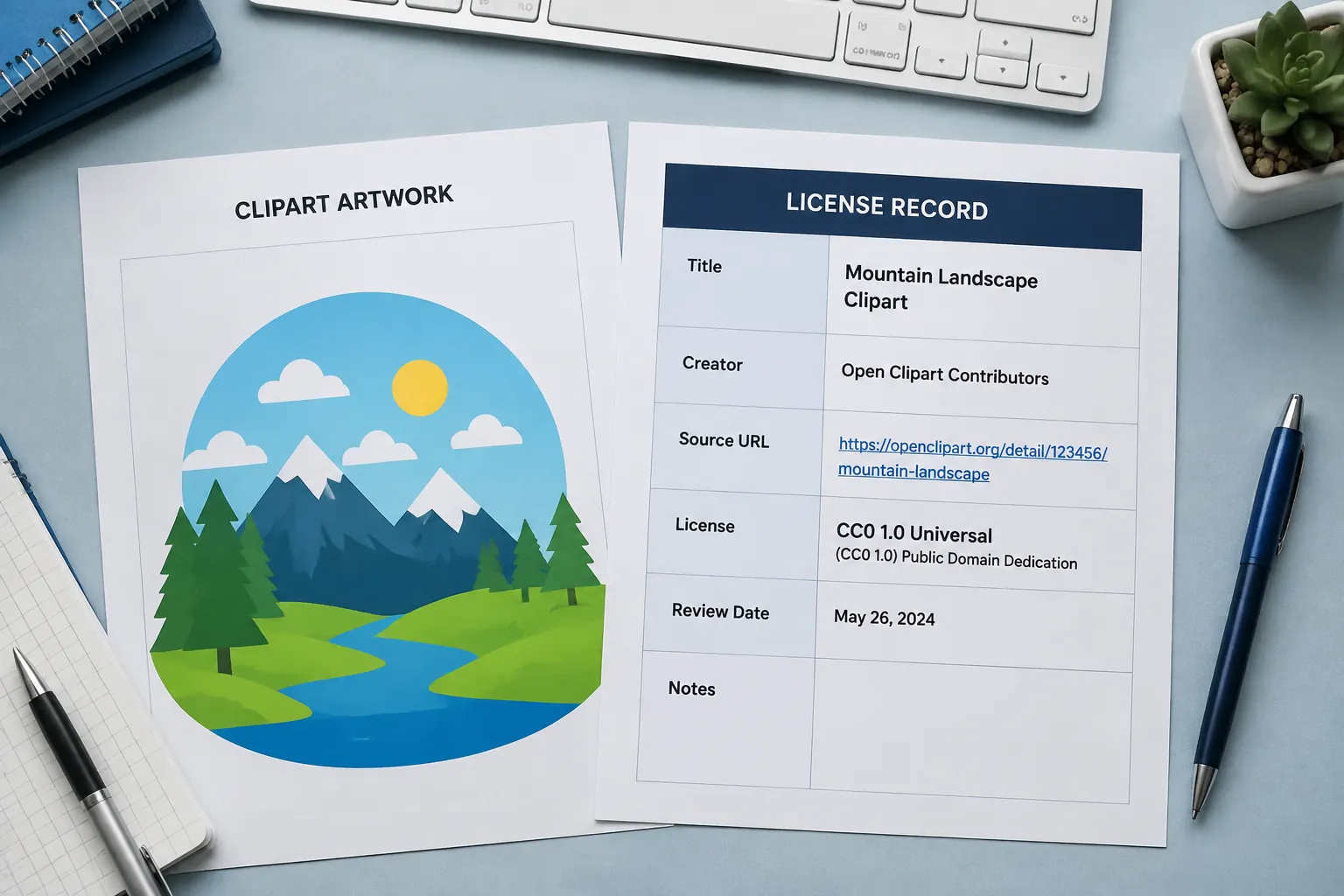
A useful clipart license documentation record connects the exact artwork, the stated creator or licensor, the visible license terms, the retained file, the intended use, and the date of review. This improves traceability, but it does not independently prove ownership, uploader authority, complete rights, or marketplace acceptance.
Start With the Individual Artwork Page
Open the page for the individual artwork rather than relying only on a platform homepage, search result, collection page, or download screen. Record the information while the page and its terms are visible.
| Record field | What to capture |
|---|---|
| Work title | The title displayed for the individual artwork |
| Creator or licensor | The person, account, or entity named on the page |
| Source-page reference | The complete page address retained in your internal record |
| Copyright or rights notice | The notice displayed beside or near the artwork |
| Exact license label | The complete wording, including the relevant version |
| License deed reference | The page or document that explains the named license terms |
| Platform terms | Separate usage conditions stated by the hosting service |
| Review date | The date you inspected the page and applicable terms |
| Intended use | For example, a finished sticker, decal sheet, product mockup, or listing image |
The source page remains the anchor for the record. A filename, screenshot, or metadata field is useful only when it can be connected back to that page and the retained asset.
Capture the Exact License Label
Do not record only “Creative Commons,” “commercial use,” “free,” or “public domain.” Those phrases are reader vocabulary, not complete license records.
Capture the specific license name and version shown on the artwork page. Different licenses can vary in attribution, commercial-use, modification, no-derivatives, and share-alike conditions. The exact combination affects copying, modification, and distribution differently.
For example, a record that says “Creative Commons” leaves several questions open:
- Is attribution required?
- Is commercial use restricted?
- Are modifications allowed?
- Must an adapted work use compatible terms?
- Which license version applies?
- Does the source page identify a matching license deed?
Compare the named deed with the planned use. The deed explains the license terms, but it cannot confirm that the uploader had authority to license the artwork.
Acceptance condition: the record identifies one exact license label, one applicable deed, and one intended use checked against both.
Preserve Creator and Attribution Details
An attribution record should make the creator, work, source, and license findable later. Record the creator name exactly as displayed, including an account name when that is the only identity provided.
Keep these fields together:
- Creator or licensor name
- Work title
- Source-page reference
- Exact license label
- License deed reference
- Attribution wording supplied by the source
- Displayed copyright notice
- Modification note
The hosting platform is not automatically the creator or rights holder. It may provide the page where an asset appears, but that does not establish who created the work or whether the uploader had permission to publish it.
Attribution is also not proof of licensing authority. It can satisfy an attribution field when the applicable terms require one, but it does not resolve an unidentified rights chain.
Connect the Record to the Retained File
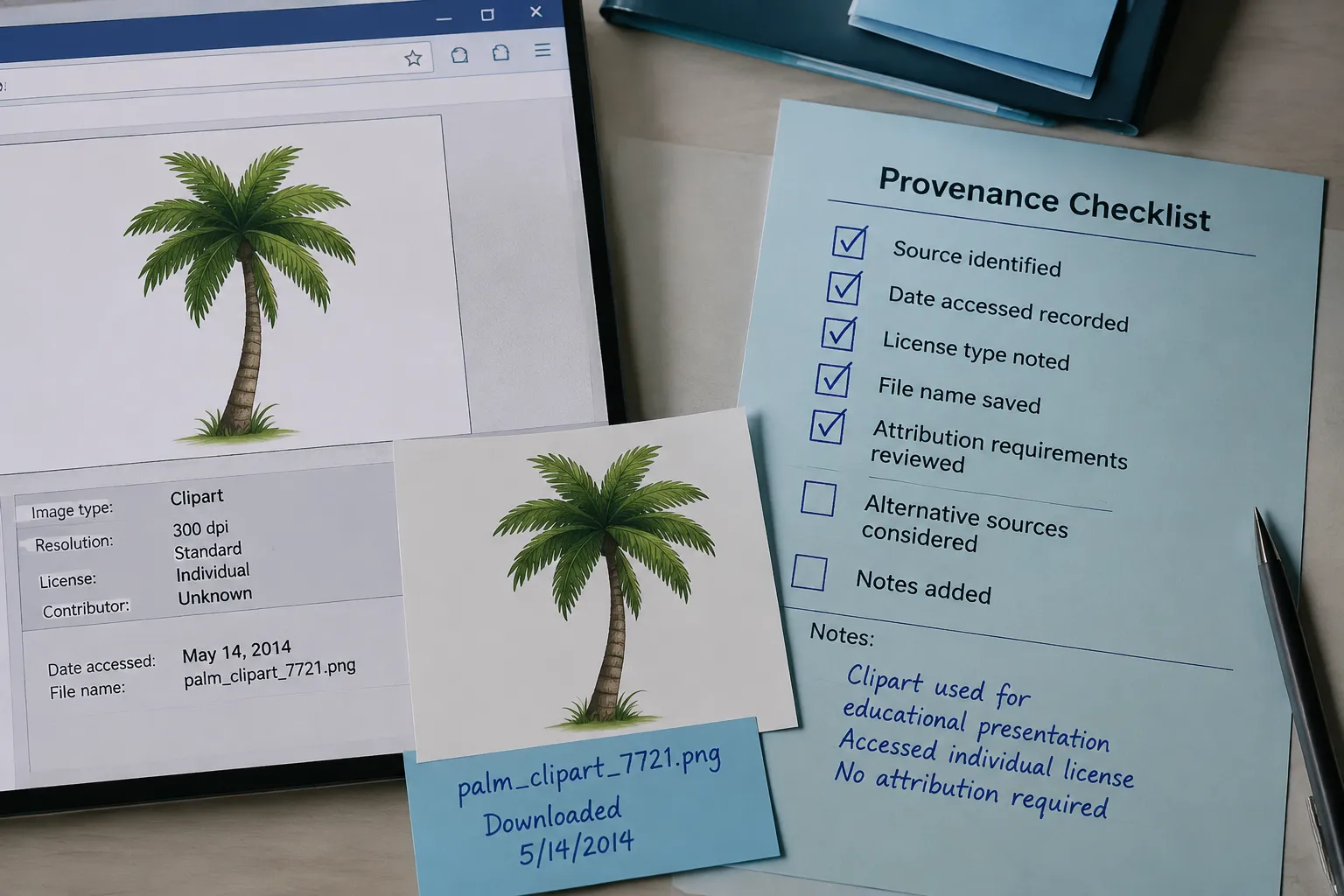
A source-page screenshot and a downloaded file answer different questions. The screenshot shows what the page stated at review time. The retained file shows which asset you considered.
Preserve the original download before creating a recolored, cropped, or outlined working copy. A filename, hash, or internal identifier can help connect the file to the source record, but none of these proves ownership or permission.
A practical file connection includes:
- Original downloaded filename
- File type
- Optional hash or internal identifier
- Source-page title
- Review date
- Working-copy filename, if you create one
Another reviewer should be able to tell which retained file corresponds to the artwork shown on the source page. If that connection is unclear, pause the workflow and repair the record before the asset enters the pack.
Add a Dated Screenshot
A dated screenshot can preserve the page state you inspected. Include enough of the page to show the artwork, work title, creator or licensor, and rights statement together when the layout allows it.
Record the following beside the capture:
- Capture date
- Source-page title
- Visible license or rights notice
- Creator or account name
- Relevant platform wording
- Filename or internal identifier of the retained file
The screenshot documents what was visible at that time. It does not preserve later platform changes, establish uploader authority, or replace the current license deed.
Source pages, platform policies, and interfaces may change. Treat the dated capture as a review point, then recheck the current terms when the intended use, product format, or listing changes.
Record Every Modification
State whether the asset remains unchanged or has been altered. Note a crop, recolor, outline change, combination with another work, removed element, added text, or other visible revision.
A short modification field is enough:
- Unchanged
- Cropped to remove background
- Recolored for the pack palette
- Combined with original lettering
- Outlined and resized
- Modification status requires review
This field matters because the applicable terms may treat an adapted version differently from an unchanged copy. The source terms and license deed control the relevant conditions.
Keep the original and modified files distinguishable. A polished mockup can show how the asset looks in a pack, but it does not establish the rights status of the underlying artwork or the conditions attached to the modification.
Check the Planned Commercial Use
Terms such as “commercial use,” “merchandise,” “resale,” and “standalone file” often appear in source-page or market discussions. Translate each phrase into a check against the exact terms instead of treating it as a broad clearance label.
- Will the artwork appear inside a finished sticker, decal, or clipart pack?
- Will the original file remain extractable or downloadable?
- Will the asset be sold as a standalone file?
- Will the artwork be modified?
- Is attribution required in the product or listing context?
- Do the platform terms add conditions beyond the license deed?
- Does the intended marketplace impose separate file or listing requirements?
Permission to download does not automatically mean permission to resell the file. Permission to use an image in one finished product may not extend to distributing the original asset or a lightly modified version.
The answer depends on the source terms, license deed, intended use, platform requirements, and applicable jurisdiction. Record what those materials state, along with any unanswered question, rather than replacing them with a label such as “commercially cleared.”
Use Platform Filters as Discovery Signals
A licensing filter can help locate assets under a selected category. It is not a rights certificate for an individual image.
When a platform displays a filter or badge, record it as platform context, then inspect the individual artwork page. Compare the filter with the license label, linked deed, creator information, separate platform terms, and intended use.
A platform-specific example can show how a service presents licensing information, but it does not establish a universal documentation standard. The individual source record remains the basis for this review.
Separate Visible Facts From Open Questions
Use two sections in the record so observed information does not become an unsupported conclusion.
Visible on the Source Page
- Work title
- Creator or licensor
- Source-page reference
- Copyright or rights notice
- Exact license label
- License deed reference
- Platform terms
- Review date
Not Established by the Page Alone
- Whether the uploader created the work
- Whether the uploader had authority to license it
- Whether another person owns part of the work
- Whether related rights affect the planned use
- Whether a marketplace will accept the listing
- Whether a modification changes the applicable conditions
A rights statement is evidence of what the page displayed. It is not automatic proof of complete title or permission for every proposed use.
Use a One-Asset Record
For one clipart item, this compact structure supports a practical review pass:
Asset ID:
Retained filename:
Optional hash:

Work title:
Creator or licensor:
Hosting platform:
Source-page reference:
Displayed copyright or rights notice:

Exact license label:
License version:
License deed reference:
Relevant platform terms:

Modification status:
Intended use:
Attribution wording:
Review date:
Recheck point:

Rights status:
Unresolved questions:
Reviewer handoff:
These fields are an internal workflow structure, not a universal legal requirement. Add fields when the source terms, product format, or marketplace process requires them.
When to Mark Rights Status Unresolved
Stop the workflow when the source page does not state an identifiable license or permission basis. Preserve the page and asset details, then mark the clipart rights status unresolved.
Use the same status when:
- The license label is generic or incomplete
- The deed reference is missing or does not match the label
- The creator or licensor is not identifiable
- The platform statement conflicts with the source-page terms
- The intended commercial use is not addressed
- The asset appears modified but the modification conditions are unclear
- The page provides a public-domain or free-use mark without enough supporting terms
Do not fill the gap with assumptions about public domain, attribution, resale, or commercial use. Hand the record off for further rights review before using the asset in the collection or product workflow.
The record can move to the next review stage when the exact source page, retained file, visible rights statement, license deed, modification status, intended use, and review date are connected. Any missing permission basis should remain visible as unresolved.