
License Term Capture and Review Records
A clipart asset can fit the pack visually and still be unsuitable for the next review. The missing piece is often not the artwork, but the source record connecting the exact file, stated terms, attribution details, access context, and intended use.
This branch focuses on that record before an asset enters a digital bundle, export, product mockup, or listing. It does not certify that a particular file may be used for a particular purpose. It gives you a repeatable way to preserve what the source states, compare that wording with the planned use, and keep unresolved fields visible.
More specific pages
These pages continue the topic in smaller, more specific directions.
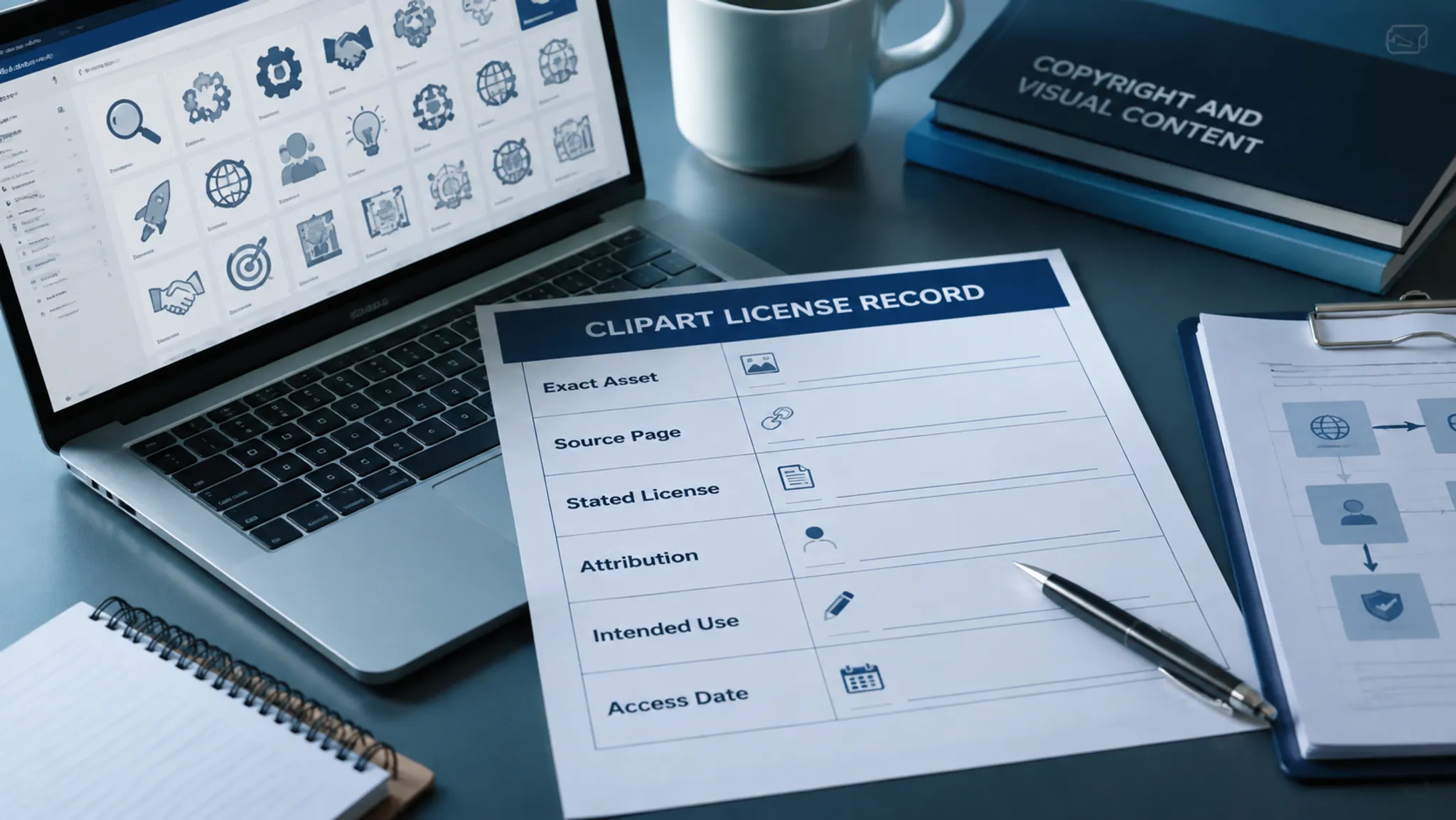
What the Record Must Identify
Start with the individual asset rather than the platform name. A library may publish broad guidance, but one image still needs its own identifiable source page and applicable terms.
- Asset title or visible file name
- Creator, account, or stated author information
- Individual asset page or source-page address
- Platform or collection name
- Visible license label, linked license text, and version when shown
- Attribution wording, including creator, title, source, and license details when available
- Conditions concerning commercial use, adaptation, redistribution, ShareAlike, or NoDerivatives
- Access date and any visible update, version, or terms context
- Missing, conflicting, or ambiguous information
- Intended use, such as a digital clipart bundle, sticker sheet, decal, mockup, or listing image
- Review status and the process used to check the record
Preserve the wording and location of the source information. A shortened label such as “open,” “free,” or “commercial” loses the conditions that give the label its meaning.
| Record field | Capture | Review purpose |
|---|---|---|
| Exact asset | Title, file name, and individual page | Prevents a platform-level note from being mistaken for an asset record |
| Source identity | Creator or account name | Connects the file to the stated source |
| License | Visible label, linked text, and version | Separates a named license from a general impression about reuse |
| Attribution | Credit wording and available creator, title, source, and license details | Preserves the information needed for the intended format |
| Use conditions | Commercial use, adaptation, redistribution, and other stated limits | Allows comparison with the planned pack or listing |
| Access context | Access date and visible update or version information | Shows when the terms were inspected |
| Review note | Missing fields, conflicts, and unresolved questions | Stops uncertainty disappearing during export or upload |
The decisive test is traceability. Another reviewer should be able to open the same source page and understand why each field was recorded.
Capture Terms from the Exact Source Page
Follow the asset from its visible page to the terms that govern it. A search result, collection thumbnail, or general help article may help locate the file, but it should not replace the individual media-file record.
Identify the file first
Record the asset title, visible file name, creator or account, and page where the asset appears. Similar motifs, duplicate uploads, and collection previews can make a platform reference look more specific than it is.
For an Openclipart asset page, inspect the individual page and compare its visible information with the platform's current terms. Keep both contexts in the record. Platform terms describe operating conditions; the asset page is where you inspect the particular file's stated details.
Preserve the license as stated
Write down the visible license label and preserve linked license text or version information when provided. Do not expand a named license into a conclusion such as “usable everywhere.”
Creative Commons terminology supplies a useful comparison frame. Attribution conditions concern credit. Commercial-use conditions concern use directed toward commercial advantage or monetary compensation. Adaptation conditions concern whether the work may be changed. ShareAlike and NoDerivatives add conditions that require separate inspection.
A label is an entry point, not the complete record. The applicable clipart license depends on the terms shown for the asset and the use you intend to make of it.
Keep attribution separate from permission
Record the creator, title, source, and license information where those details are available. This pattern is often called TASL: Title, Author, Source, and License. Use it as a documentation structure, not as evidence that the asset is cleared for a project.
Also capture any stated modification notice. If the source requires changes to be identified, the eventual credit should not describe an adapted asset as unchanged.
A digital bundle, product page, packaging insert, and physical sticker offer different practical spaces for credit. Compare the source wording with the intended format before deciding where the attribution will appear.
Record access and unresolved fields
Note the date you inspected the page. If it shows a terms version, update notice, or other change context, preserve that information as well. The date does not make the record permanent; it tells a later reviewer what was visible at that point.
When the source page lacks a specific license statement, mark the status unresolved. Do not fill the gap with platform reputation, a collection label, an informal creator comment, or an assumption based on similar files.
Use the same status when the label conflicts with detailed terms, creator information is incomplete, or embedded elements are not covered clearly. Hold the asset for clarification or choose a replacement while the field remains unresolved.

Compare the Record with the Intended Use
The same clipart file can require a different review when it enters a different part of the workflow. Compare the recorded terms with the actual use rather than a vague idea of “reuse.”
| Planned use | Questions for the record |
|---|---|
| Digital clipart bundle | Will the asset be distributed as a file, and do the stated terms address redistribution or adaptation? |
| Sticker sheet or die-cut sticker | Will the artwork be modified, combined, printed, or sold as part of a physical product? |
| Decal or packaging graphic | Is the asset part of the product, part of the packaging, or only a promotional preview? |
| Listing image or mockup | Is the asset shown as a concept, or is the source file being delivered to customers? |
| Seasonal collection | Will the same file appear across products, exports, or releases with different descriptions? |
These questions organize the review; they do not answer it automatically. The applicable clipart license and current platform terms remain the controlling evidence for the record.
A polished mockup is preview evidence. It can show placement, scale, contrast, and pack cohesion, but it cannot establish that the source terms permit the planned use. Keep the visual pass and source-record pass separate, then connect them through the intended-use field.
Misunderstandings That Change the Review
Attribution is not commercial permission
A credit line may be required, but providing credit does not by itself answer whether commercial use is permitted. Record attribution and commercial-use conditions in separate fields.
Open is not unrestricted
An asset can be described as open while still carrying conditions. Creative Commons licenses combine attribution, commercial-use, adaptation, ShareAlike, and NoDerivatives terms in different ways. Read the label with those conditions.
Public-domain-style language also needs careful recording. A public-domain dedication signal and a platform statement about free access are not interchangeable records.
Adaptation is not the same as placement
Placing an unchanged image into a composition may differ from altering its silhouette, adding an outline, recoloring it, cropping it, combining it with another motif, or exporting a derivative arrangement. Record what the source says about adaptations, then describe the planned treatment accurately.
A small outline or recolor can change the review question even when the original source remains recognizable. The mockup should make that treatment visible in the record rather than hiding it.
Platform terms are not asset terms
General platform terms may explain how content is presented or shared on that service. They do not necessarily identify the license attached to every file. The individual asset page remains necessary.
Wikimedia Commons provides a bounded file-level comparison: its reuse guidance directs attention to individual media-file information rather than a general assumption about the whole library. Use that comparison to clarify the workflow, not to replace the clipart source page.
Embedded elements may have separate status
A larger resource may contain an image, icon, font, or other element whose terms are not covered by the surrounding page. Publishing, educational, and metadata workflows can illustrate why this matters, but they do not govern a particular clipart asset.
Inspect the actual file and its stated source information. When an embedded element is unexplained, keep that uncertainty visible instead of inheriting the larger page's label.
Run the Pack-Level Review
Use the record at collection level after each asset has been reviewed individually. The pack needs a consistent status view, but the collection should not erase motif-level exceptions.
- Create one record for every third-party asset.
- Match each record to the exact file and source page.
- Compare the visible license and linked terms with the intended use.
- Record attribution details before layout and export decisions.
- Flag missing, conflicting, or outdated information.
- Separate unchanged placement from adaptation or combination.
- Check whether the same asset enters more than one product or listing context.
- Preserve the access date and terms context with the pack files.
- Hold unresolved assets before final export or sale.
- Recheck records when the use, source terms, or marketplace requirement changes.
Status labels such as recorded, needs comparison, unresolved, and held describe workflow state. They do not certify ownership, commercial usability, or marketplace acceptance.
Failure Patterns
Recording the library instead of the asset
A neat platform note contains no asset title, creator, or individual page. The cause is treating the library as the rights record. Create an asset-first entry and retain platform terms only as supporting context.
Copying only the license abbreviation
The record contains a short label but no version, attribution fields, or adaptation note. Preserve the linked terms and the conditions relevant to the planned use.
Treating “free” as a use decision
The asset moves into a pack because the page describes it as free or open. That substitutes market language for stated terms. Mark the applicable license unresolved until the source provides enough information for comparison.
Losing source context during export
The artwork survives in the final folder, but the creator, source page, and access date do not. Store the record beside the working asset or in the pack's source register.
Letting the mockup carry the decision
The preview looks cohesive, so the asset is treated as ready for listing. Require both a visual pass and a documented terms pass before it advances.
Applying one status to every motif
A pack receives one “open” label even though its files have different creators, licenses, or missing fields. Keep individual records and summarize exceptions separately.

Worked Review Example
Imagine a planner creator assembling a seasonal pack with an anchor motif, supporting motifs, and decorative clipart from an external source.
The anchor motif has a named license and visible creator information. Its attribution fields are captured, but the terms do not clearly describe the planned redistribution format. Its status is needs comparison, with the intended digital bundle use written beside the unresolved condition.
A supporting motif appears on an Openclipart asset page with a visible license label. The creator records the asset page, current platform terms context, attribution details, and access date. The motif may proceed to visual review, while the record remains subject to comparison with the planned physical sticker use.
A decorative element appears only inside a larger preview image without a separate license statement. Mark it unresolved and hold it out of the export until the source and applicable terms can be identified.
This sequence keeps the collection moving without turning a preview into a rights conclusion. Substitute motifs can continue through the visual brief while the uncertain element remains outside the final pack plan.
Handoff Threshold
A record is ready for its next dependency when another reviewer can identify the exact asset, locate the stated terms, understand the attribution fields, see the access context, and compare the terms with the intended use.
It is not ready when the entry relies on a platform-wide label, an undated screenshot with no asset identity, an informal description, or a general assumption about open content. Those materials may help locate the source, but they do not replace the source record.
The next review may concern export structure, cut-edge clearance, listing presentation, or a specific marketplace requirement. Keep those checks separate. A complete license record makes the handoff clearer; it does not answer production or marketplace questions that depend on their own requirements.
FAQ
What is a clipart license record?
It is a documented connection between one exact clipart asset, its source page, creator information, visible license, linked terms, attribution details, access context, and intended use. It records evidence for review rather than declaring the asset cleared.
Is a Creative Commons label enough?
No. The label helps identify a licensing family, but the applicable conditions, version, attribution requirements, commercial-use terms, and adaptation limits still need to be captured from the relevant source information.
What should I do when the asset page has no license details?
Mark the status unresolved, preserve the page and access context, and hold or replace the asset until the applicable terms can be checked. Do not infer permission from the platform name or the absence of a restriction notice.
Should attribution be stored with the clipart file?
Store it in the source record and keep it connected to the working asset and pack register. Final placement depends on the license terms and intended medium, so decide it during the format review.
Can a mockup establish that a clipart asset may be sold?
No. A mockup shows a visual arrangement. Compare the source record with the intended product, distribution, adaptation, and listing use separately.
When should a record be reviewed again?
Review it when the asset enters a new use, the source terms show a change, or the marketplace or production context introduces a new requirement. The access date shows when the information was inspected; it does not replace a later check.
What is a useful completion threshold?
The exact asset is identifiable, the stated terms are preserved, attribution details are recorded, access context is visible, and unresolved conditions are named. Anything less stays in review.